 how-to
7 Marketing Automation Workflows for Solo Aesthetic Practitioners
Last Updated: November 1, 2026
Quick Summary
Marketing automation lets solo aesthetic practitioners capture leads, send an instant reply with a booking link, and run reminders without manual effort. Connect four stages, capture, respond, book, retain, so inquiries never wait until morning and clients keep rebooking.
- Send an automatic text and email with a booking link within one minute of each inquiry.
- Build a four-layer stack: booking and calendar, messaging, lead capture, and reviews.
- Remind clients 48 hours before, the morning of, and two hours before the appointment.
- Record four weeks of inquiry volume, response time, booking rate, no-show rate, and rebooking rate before launch.
- Get written consent before adding anyone to a marketing list, and honor opt-outs immediately.
Table of Contents
- Why Solo Aesthetic Practitioners Lose Bookings Before the First Consultation
- What Marketing Automation Workflows for Aesthetic Clinics Actually Look Like
- Automated Lead Follow-Up for Med Spas: Responding Before the Prospect Calls Someone Else
- Choosing Med Spa Marketing Automation Software on a One-Person Budget
- Aesthetic Clinic Appointment Reminders That Cut No-Shows and Fill Gaps
- Privacy, Consent, and Compliance for Patient Marketing
- Measuring Whether Your Automation Is Actually Working
- Get Your Free Local Visibility Scan
- Frequently Asked Questions
Why Solo Aesthetic Practitioners Lose Bookings Before the First Consultation
Most solo aesthetic practitioners don't lose new clients because of their treatments or their prices. They lose them in the first few minutes, when a prospect can't find the practice on the map or calls and no one picks up.
Two leaks cause most of the damage:
- Map invisibility. A prospect searches a treatment plus "near me." Google shows a short list on a map before anything else. If you're not on it, many searchers never scroll further.
- Unanswered calls. A person who just found you and called is at their most likely moment to book. Voicemail usually means they call the next practice on the list.
Neither problem is a talent issue. One person cannot be at the front desk and in the treatment room at once.
Both are measurable and can be addressed with the right workflows.
What Marketing Automation Workflows for Aesthetic Clinics Actually Look Like
Marketing automation is the use of software to handle repetitive marketing and communication tasks, lead capture, follow-up messages, appointment reminders, review requests, without manual effort each time.
For an aesthetic practice, that means an instant reply, a booking link, and a reminder sequence, whether you're mid-treatment or asleep. The automation doesn't replace your judgment; it protects the moments you can't be present for.
The Four Stages Every Workflow Connects
Every useful workflow in a solo practice moves a person through four stages:
- Capture. The lead lands somewhere permanent, not just a voicemail box.
- Respond. An automatic reply goes out within minutes, not hours.
- Book. The prospect gets a self-serve booking link or a call back.
- Retain. Reminders, follow-up, and rebooking keep the client returning.
Most practices have a tool for one stage and nothing for the rest. Connecting all four is the difference between a lead list and a booked calendar.
Automated Lead Follow-Up for Med Spas: Responding Before the Prospect Calls Someone Else
Speed matters: a prospect who inquires in the evening may be deciding between you and another practice shortly after.
The typical failure is a form that emails the front desk. Nobody sees it until morning. By then the prospect has booked elsewhere.
A simple follow-up sequence fixes this:
- Minute 1: automatic text and email confirming the inquiry, with a booking link.
- Hour 2: a short message answering the most common question about the treatment.
- Day 1: a gentle nudge with a link to before-and-after content.
After-hours inquiries deserve their own track. Capturing after-hours med spa leads covers the tactics for the inquiries that arrive when no one is at the desk.
The follow-up sequence runs on a fixed clock so no inquiry waits until morning.
| Timing | What goes out |
|---|---|
| Minute 1 | Automatic text and email confirming the inquiry, with a booking link |
| Hour 2 | Short message answering the most common question about the treatment |
| Day 1 | Gentle nudge with a link to before-and-after content |
| Day 3 | Final follow-up offering a call back |
Choosing Med Spa Marketing Automation Software on a One-Person Budget
Marketing automation software should match the size of the practice, not the ambition.
List the workflows you actually need, lead capture, follow-up sequences, appointment reminders, and a review request, then check whether one tool covers all four before adding a second subscription. A comparison of practice management software can help you weigh the options before committing.
The Minimum Viable Stack for a One-Person Practice
A workable stack has four layers. You do not need a fifth.
- A booking and calendar layer. Availability, intake forms, and the confirmation the client sees. Many practice-management platforms bundle this with charting and payments; a standalone scheduler is enough if you already have charting elsewhere.
- A messaging layer. SMS and email sequences: the instant reply, the reminder cadence, and the review request. Look for two-way texting, because client replies need to land somewhere a human reads them.
- A lead capture layer. A site form, a Google Business Profile message button, and missed-call text-back. A simple form tool that writes to your calendar is sufficient if your messaging tool doesn't include this.
- A review layer. Built into the messaging tool or a dedicated product: after a visit, send one text with a direct link to your Google Business Profile.
Anything beyond these four layers, a full CRM, a multi-channel ad platform, a complex journey builder, is a phase-two purchase. Buy it when a specific workflow breaks, not before.
What Each Layer Actually Costs
Pricing in this category moves constantly, so treat any figure as a planning range rather than a quote. As a general pattern:
- Booking and calendar: standalone schedulers commonly run in the low tens of dollars per month for a single provider; practice-management suites that bundle charting and payments run higher, often into the low hundreds.
- Messaging and SMS: most platforms charge a base subscription plus a per-message fee. Estimate your monthly send count before committing.
- Lead capture: often free or bundled; a standalone form tool is typically free at low volume.
A realistic minimum viable stack for a solo practitioner typically lands well under the cost of a single all-in-one suite, provided you'll spend an afternoon connecting the pieces. The trade-off is real: separate logins and the occasional integration hiccup.
Build vs. Buy: When a Lean Tool Stack Beats an All-in-One Platform
A lean stack wins when you are solo, budget-conscious, and willing to spend an afternoon on setup. An all-in-one platform wins when you are adding providers and want one login for everything.
Use these questions to decide:
- How many providers will you have in twelve months? More than one, and an all-in-one platform usually pays for itself in reduced admin time.
- Do you already have charting and payments elsewhere? If so, a lean stack avoids paying twice for the same function.
- How much time can you spend on setup? A lean stack requires more configuration; an all-in-one platform arrives closer to ready.
Aesthetic Clinic Appointment Reminders That Cut No-Shows and Fill Gaps
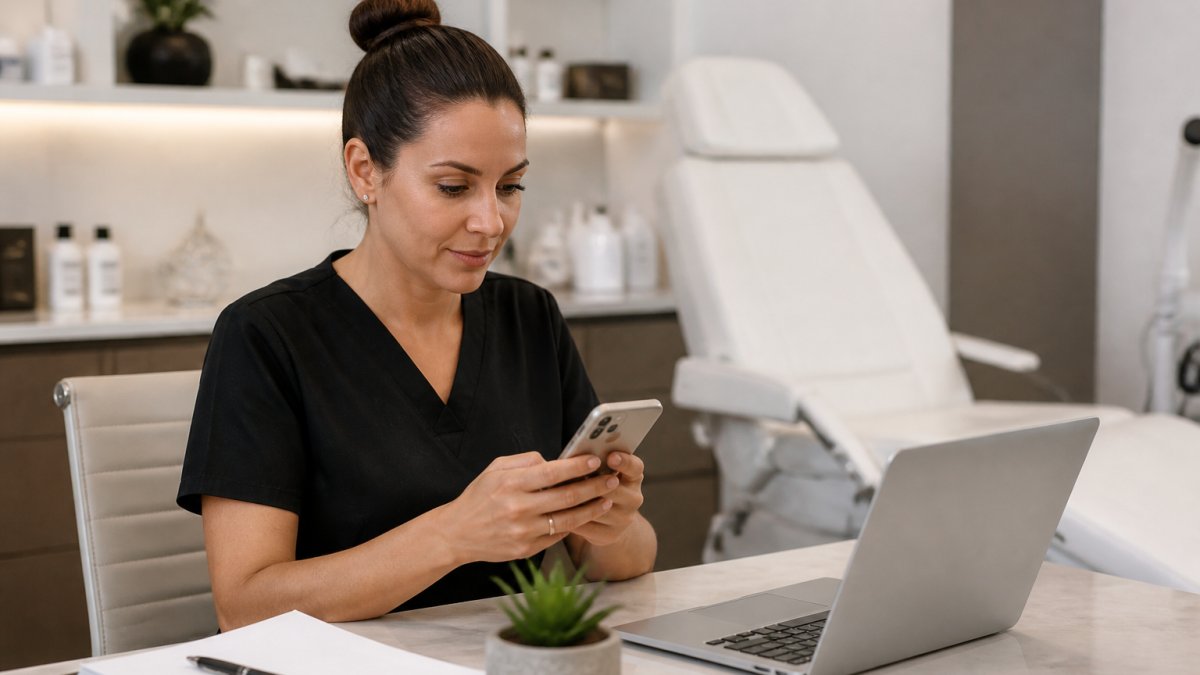
The sequence that works in practice:
- 48 hours before: text with date, time, and a reschedule link.
- Morning of: short confirmation text with parking or arrival notes.
- Two hours before: final nudge, only if the client hasn't confirmed.
Privacy, Consent, and Compliance for Patient Marketing
Patient marketing carries obligations that general marketing does not. Health information is sensitive, and automated messages that reference a treatment can reveal more than the recipient expected.
Build these habits into every workflow:
- **Get written consent before adding anyone to a marketing list, and keep a record of it.
- Separate transactional from promotional messages. Appointment reminders are not the same as treatment promotions.
- Keep messages vague on details. "Your appointment is confirmed" is safer than naming a procedure in a text preview.
The FTC's guidance on health privacy and marketing is a useful starting point for understanding what counts as a privacy-sensitive claim. Consent and opt-out rules for commercial text messages fall under the FCC rules on robocalls and texts.
Measuring Whether Your Automation Is Actually Working
Measurement is where most solo practitioners stop. The dashboard fills with opens and clicks, and nobody knows whether bookings went up. The fix is a smaller set of numbers, each tied to a workflow and compared against a baseline captured before launch.
Capture a Baseline First
Before you turn on a single sequence, record four weeks of the following from your existing records, your booking system, your phone log, and your calendar:
- Inquiry volume. New inquiries per week, by channel (form, phone, text, direct message).
- Response time. How long until the first human or automated reply.
- Booking rate. Share of inquiries that became booked consultations.
- No-show rate. Share of booked consultations that did not attend.
- Rebooking rate. Share of attended clients who booked a follow-up within ninety days.
Four weeks is enough to see a pattern and short enough to start before the season changes. Without a baseline, every later comparison is a guess.
The Four Numbers That Matter After Launch
Once a workflow is live, track only these:
- Response time. How fast a new inquiry gets its first reply. The target is minutes, not hours.
- Booking rate. Share of inquiries that become booked consultations, the number that tells you whether follow-up is doing its job.
- No-show rate. Compare clients who received the full reminder sequence against those who got only one message.
How to Attribute a Booking to a Workflow
Attribution is the hard part, and most tool dashboards do not solve it for you. A practical method for a solo practice:
- Tag the source at capture. Every form, missed-call text-back, and booking link should write a source label into the client record, "form," "missed call," or "after-hours text." Most booking and messaging tools let you add a hidden field or tag.
- Use a consistent time window. Attribute a booking to the workflow that produced the inquiry if it happens within seven days. Beyond seven days, treat it as organic and note it separately.
- Compare cohorts, not totals. Compare inquiries that entered the workflow in a given week against same-channel inquiries from your baseline period. Totals hide seasonality; cohorts expose it.
A Simple Monthly Review
Once a month, spend fifteen minutes on this:
- Pull the four numbers for the month.
- Compare each against the baseline and against the prior month.
- Identify the one number that moved least. That is where the next workflow change should go.
- Note any external factor, a holiday, a price change, a new competitor, that could explain a swing.
If booking rate doesn't move, the follow-up sequence needs work, not more leads. If no-show rate doesn't move, the reminder timing is wrong. If rebooking rate doesn't move, the post-visit follow-up is missing.
A local visibility scan adds the map piece: where you rank within a few miles of the practice. Paired with booking metrics, it shows whether you are being found and whether those people are booking.
Get Your Free Local Visibility Scan
Two leaks cost solo aesthetic practices more bookings than any ad budget can recover: prospects who can't find you on the map, and callers who never get an answer. Marketing automation for solo aesthetic practitioners closes both, but only if you know where you stand first.
Lumen Growth AI offers a free Google Maps scan showing where you rank within 5 and 10 miles. Our AI Receptionist answers calls around the clock and books consultations into your calendar, and our Local SEO work aims to improve how often you appear in the searches that matter.
We can't promise a specific ranking, because Google decides that. What we can promise is that you'll see where you stand, know what we're doing about it, and be able to measure the change.
Visit LumenGrowthAi.com to get started with Lumen Growth AI.
Frequently Asked Questions
What marketing automation tasks should a solo aesthetic practitioner set up first?
Start with the two leaks that cost the most bookings: missed calls and unanswered inquiries. Addressing those moments is where the first workflows should focus.
How can a solo practitioner handle patient inquiries that arrive after hours?
An AI receptionist answers calls around the clock and books consultations into your calendar. That matters because many people research treatments in the evening or on weekends when no one is at the front desk. Without a response, most callers do not leave a voicemail; they call the next practice on the list. Automating the first response keeps that prospect in your pipeline instead of a competitor's.
How do I measure whether marketing automation is working for my practice?
Track a few key numbers monthly, such as booking rate from new inquiries and response time to new leads, and compare them against the period before you turned automation on.
What consent do I need before sending marketing texts to aesthetic patients?
Marketing texts to patients generally require documented consent and opt-out options. Keep records of opt-ins, include opt-out instructions, and consult a qualified professional about the rules that apply to your practice.
Tell us your practice name and the treatments you most want to be found for. We'll send your scan and walk you through it in a short call.